

What you Unlock
Become Discord Official. Unlock advanced features.

Customize Your Game Profile
Customize your game profile to hype new seasons, spotlight new characters, promote limited time events, or refresh your brand for major content drops.
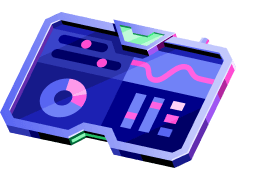
Build Your Game Stats Widget
Turn every profile into a highlight reel. The Game Stats Widget puts your game front and center on a player's Profile Board. Favorite characters, top scores, biggest wins, all on display.
.webp)
How to unlock
Step 1
Sign in to the Developer Portal.
Requirements

Step 2
Team creation is required for studio management — you cannot manage permissions or collaborate with others without first creating a Developer Team.
Requirements
Step 3
Game claiming is tied to an application - you cannot claim a game without first creating or selecting a developer application.
Requirements
Step 4
Select your game.
Step 5
System finds your Discord invite link on the page and verifies the claimant matches the server owner.
Requirements
Step 6
On approval, edit your game record and profile.
You're Official!